Checklist · Intermediate · 10 min
Before installing plugins, skills or MCP in Claude Code
What to check before installing an editor extension, plugin, skill or MCP server in Claude Code: what it runs, where it comes from and how to remove it.
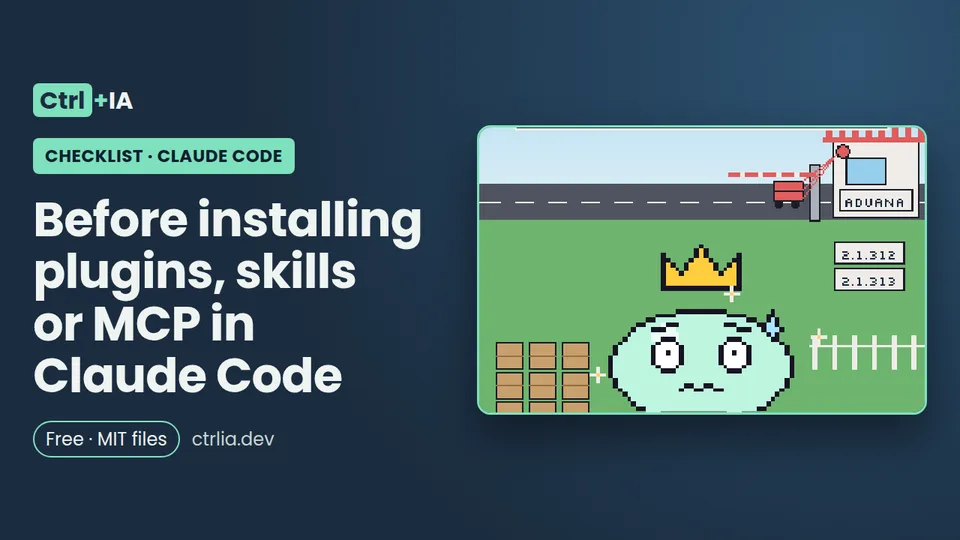
Tested with Claude Code 2.1.316 · reviewed
See the files on GitHub Free · MIT license
What it's for
A checklist for before you install anything that extends Claude Code: the editor extension, a plugin from a marketplace, a skill copied from GitHub or an MCP server. It explains what each one can do on your machine (almost always: run code with your permissions and outside the sandbox), how to check who publishes it and which source it comes from, how to read what it brings before turning it on, how to control updates and how to remove it completely. It starts from the October 29 incident: the Cursor marketplace served versions 2.1.312 and 2.1.313 of the Claude Code extension with an SSH backdoor.
What happened on October 29 (and the lesson)
Between 2:27 and 13:35 (Pacific time) on October 29, 2026, the Cursor extension marketplace distributed tampered copies of anthropic.claude-code, versions 2.1.312 and 2.1.313, for macOS and Windows. According to Cursor's notice, those copies "were not developed by Anthropic": when loaded they sent machine data (user, system, Git email, public IP and the names of environment variables), tried to add the attacker's SSH key (svc-telemetry) to ~/.ssh/authorized_keys, open a reverse SSH tunnel and schedule themselves to start again. The Visual Studio Code Marketplace, Open VSX and the npm package didn't serve the copy, and the attacker's server is already down.
The lesson for this checklist: the name was the official one, the publisher was "anthropic" and the version number looked normal. What was compromised was the store. That's why looking at the name isn't enough: you have to look at which store it comes from, which version was installed and when, and have a plan to remove it. If you use Cursor and updated that day, follow the two-minute check in our news item:
grep -qs svc-telemetry ~/.ssh/authorized_keys && echo "Key found" || echo "No key"The checklist
- Why: each kind of extension reaches different places, and almost all of them run code with your permissions.
- Editor extension (VS Code, Cursor): JavaScript code running in the editor as your user. That's what happened in Cursor.
- Claude Code plugin: according to the official docs, it "can execute arbitrary code on your machine with your user privileges". It can bring hooks (shell commands at lifecycle points), monitors (background commands that start on their own when the session begins), mods (JavaScript inside Claude Code), MCP and LSP servers (processes on your machine), a bin/ folder added to Bash's PATH, and skills, commands and agents that enter the context as instructions.
- Standalone skill: instructions, but it can include scripts and an
allowed-toolsthat approves tools without asking during its turn. - MCP server: a local process (stdio) or a remote service that gives Claude tools and returns content that may carry prompt injection.
- The key point: permission rules and the sandbox cover the calls Claude makes, not the code the plugin runs on its own. Hooks, monitors, MCP and LSP servers run outside the sandbox with all your permissions. And without managed settings or a Team or Enterprise session, a mod can approve a call your deny rule rejects.
- Why: a marketplace or publisher name tells you who publishes the catalog, not what each thing inside it does.
- Plugins: Claude Code sorts marketplaces into three tiers. Official (
claude-plugins-officialand other reserved names), community (claude-community,claude-plugins-communityandhealthcare) and third-party (everything else, including your company's or a coworker's). Claude Code only accepts the official and community names if the marketplace comes from agithub.com/anthropics/repository, so a third party can't impersonate Anthropic: if it tries, it fails with "Marketplace is registered from an untrusted source". In the community tier, almost every entry is pinned to a commit and Claude Code refuses to install a different one. - How to check it:
claude plugin marketplace listprints the source of each marketplace (GitHub repository or folder). - Editor extensions: on the VS Code Marketplace, the publisher of
anthropic.claude-codeis marked as verified with the anthropic.com domain (we saw it in the Marketplace API on Nov 1, 2026: 29.2 million installs, latest version 2.1.314); on Open VSX it's listed as verified, version 2.1.316. Always look at the exactpublisher.nameidentifier and be wary of copies with similar names. But remember Cursor: a verified publisher helps, it doesn't guarantee.
- Why: the "Will install" section of the
/pluginpanel shows that a plugin has a hook, but not what it runs. - Step 1 (the order is the one the official docs suggest): in a session,
/plugin, pick the plugin and read the details panel: commands, agents, skills, hooks and MCP and LSP servers. If it says "Component summary not available for remote plugin", the plugin is downloaded from somewhere else: all the more reason to read the code. - Step 2: open Open homepage or View on GitHub and find the plugin's folder. Read three things:
hooks/hooks.json(each hook's command),.mcp.json(each server's command or URL) and every file inbin/. - Step 3: clone the repository and run
claude --plugin-dir <folder> plugin details <name>: it reads the files without opening a session and lists the inventory. We tried it with a test plugin: it showed the skill, the SessionStart hook and the MCP server, but not the bin/ folder, so you have to check that one by hand. The repository'sen/revisar-plugin.shscript does steps 2 and 3 in one go. - Step 4: after installing,
claude plugin details <name>shows the same for the installed copy in~/.claude/plugins/cache/. - Standalone skills: read the whole
SKILL.mdand any script that comes with it; be wary of a broadallowed-tools(Bash,Bash(curl *)) and of instructions telling Claude to download or run something.
- Why: the "Will install" section of the
# Review a cloned plugin before installing it (real output, Claude Code 2.1.316)
git clone https://github.com/<author>/<marketplace>.git /tmp/review && cd /tmp/review
# 1. What does it run?
cat <plugin>/hooks/hooks.json <plugin>/.mcp.json 2>/dev/null
ls -la <plugin>/bin/ 2>/dev/null && head -50 <plugin>/bin/*
# 2. Inventory without opening a session
claude --plugin-dir <plugin> plugin details <plugin>

# Output with our test plugin:
# plugin-dudoso 0.1.0
#   Source: plugin-dudoso@inline
# Component inventory
#   Skills (1)  saludo
#   Agents (0)
#   Hooks (1)  SessionStart  (harness-only — no model context cost)
#   MCP servers (1)  eco  (tool schemas resolved at runtime; not counted)
#   LSP servers (0)
# (it doesn't mention bin/herramienta: check bin/ by hand)- Why: what you reviewed today can change tomorrow. According to the docs, when auto-update is on for a marketplace, Claude Code updates its plugins in the background, so "the files you reviewed can change on disk". The running session keeps what it loaded; you'll see
Plugin updated: <name> · Run /reload-plugins to applyand the next session loads the new version. - Defaults: auto-update is on for
claude-plugins-officialand the other official names (exceptknowledge-work-pluginsandfirst-party-plugins) and for marketplaces added from claude.ai; it's off for the community one, third-party ones and local ones. - How to control it: in
/plugin, Marketplaces tab, pick the marketplace and Enable/Disable auto-update. To pin a version, add the marketplace with a tag:/plugin marketplace add your-org/plugins#v1.2.0. Watch out:claude plugin marketplace updatewith no name refreshes the catalogs but doesn't update your plugins. - Editor extensions: if you'd rather review before updating, turn off automatic extension updates in the editor (in VS Code, the
extensions.autoUpdatesetting) and check the version withcode --list-extensions --show-versions(in Cursor,cursor --list-extensions --show-versions). After an incident like Cursor's, updating quickly to a clean version also matters: it's a balance.
- Why: what you reviewed today can change tomorrow. According to the docs, when auto-update is on for a marketplace, Claude Code updates its plugins in the background, so "the files you reviewed can change on disk". The running session keeps what it loaded; you'll see
- Why: the less reach, the less damage. When you install a plugin you choose where it's enabled.
- User (
enabledPluginsin~/.claude/settings.json): in all your projects on this machine. It's the default forclaude plugin install. - Project (
.claude/settings.json, goes in git): for everyone working in the repo. Committing that entry enables it for your teammates but doesn't download it for them: each one has to install it once with--scope project. - Local (
.claude/settings.local.json): just you, just in this repo. - Priority: if the same plugin is in several scopes, local beats project and project beats user. Keep in mind that the terminal, local desktop app sessions and the VS Code extension read the same files: what you install at user level in one shows up in the other two.
- How to check it:
claude plugin listshows each plugin'sVersion,ScopeandStatus. Try it locally first; move it to the project only once the team has reviewed it. And if a plugin asks you to run a command when installing (Run this command now? [y/N]), read it: it's code that runs in your terminal.
- Why: a local MCP server is a process with your permissions, and a remote one receives whatever Claude sends it. The official docs recommend writing your own servers or using ones from providers you trust; Anthropic reviews the connectors in its directory against some criteria, but doesn't audit the security of any MCP server.
- What protects you: in an interactive session, Claude Code asks for approval before using the servers in a project's
.mcp.json, and a cloned repo can't approve its own:enableAllProjectMcpServersin its.claude/settings.jsonis ignored while you haven't trusted the folder. We checked it: the test repo's server showed "⏸ Pending approval (runclaudeto approve)". Also, in a remote server'surlandheaders, Claude Code leaves credential variables empty so a.mcp.jsoncan't send your token to someone else's server. - What doesn't protect you: with
claude -pin a folder you never trusted, the servers in.mcp.jsonconnect without asking. And reviewing.mcp.jsondoesn't show everything: plugins and claude.ai connectors also add servers. - How to check it:
claude mcp listand/mcp. To reject one by name in every session,disabledMcpjsonServers. To forget your approvals,claude mcp reset-project-choices. More about servers in MCP for developers.
- Why: if you stop trusting something, uninstalling doesn't always remove everything.
- Plugins:
claude plugin uninstall <plugin> --scope <scope>, with the scope you installed it in. Then check: the plugin's persistent data is deleted if it was its last scope (unless--keep-data), but its files stay in~/.claude/plugins/cache/<marketplace>/<plugin>/for 14 days until a background cleanup removes them; delete them yourself if you want them gone now. Dependencies installed automatically stay untilclaude plugin prune. If you don't trust the marketplace owner either, remove it: removing a marketplace uninstalls all its plugins. - Editor extensions: uninstalling doesn't undo what the code already did. In the Cursor case, the extension left scripts and an SSH key that stayed behind: you had to clean up with the scripts in the notice, check
~/.ssh/authorized_keysand change, from another machine, the credentials the machine could reach (GitHub, cloud, npm, CI). - How to check it: after removing something,
claude plugin listshouldn't show it,ls ~/.claude/plugins/cache/shouldn't have its folder and/hooksand/mcpshouldn't list anything of its own.
What you have installed and where it comes from (the repository includes it as en/inventario.sh, which only reads):
claude plugin marketplace list          # source of each marketplace
claude plugin list                      # version, scope and status of each plugin
claude mcp list                         # MCP servers and their status
code --list-extensions --show-versions | grep -i claude
cursor --list-extensions --show-versions | grep -i claude   # if you use Cursor
# Check for the Cursor case (Oct 29, 2026):
grep -qs svc-telemetry ~/.ssh/authorized_keys && echo "svc-telemetry key found" || echo "No key"
Removing a plugin completely:
claude plugin uninstall <plugin>@<marketplace> --scope user
claude plugin prune                     # dependencies installed automatically
rm -rf ~/.claude/plugins/cache/<marketplace>/<plugin>/   # if you don't want to wait 14 days
claude plugin marketplace remove <marketplace>           # if you don't trust the store either
If you're looking for what to install, start with our list of recommended skills, and before granting permissions, go through the permissions checklist.
Common mistakes
- Trusting the name and the publisher → in the Cursor case both were the official ones and the store was compromised → check the store, the version and the install date, not just the name.
- Reviewing a plugin only with
plugin details→ it doesn't list thebin/folder, which is added to Bash's PATH → readbin/by hand (or withen/revisar-plugin.sh). - Reviewing a plugin once and forgetting about it → with auto-update on, the files can change on disk → turn it off for that marketplace or pin it with
#tag. - Thinking the sandbox protects you from a plugin → hooks, monitors and MCP and LSP servers run outside the sandbox with your permissions → the defense is not installing what you haven't read.
- Uninstalling and calling it done → the cache stays for 14 days and a malicious extension may have left scripts or keys → clear the cache, check
~/.ssh/authorized_keysand rotate credentials if there was malicious code. - Adding a plugin to the project's
.claude/settings.jsonwithout review → it gets enabled for the whole team → try it locally first.
What we tested and what's pending
On this PC (Linux, Claude Code 2.1.316), with an isolated configuration: we built a test plugin with a skill, a SessionStart hook, a .mcp.json and an executable in bin/, and claude --plugin-dir … plugin details listed everything except bin/ (we repeated it on Nov 1 with revisar-plugin.sh); claude plugin marketplace list showed Anthropic's built-in directory; a repo with enableAllProjectMcpServers showed "⏸ Pending approval" in claude mcp list; we queried the public VS Code Marketplace API (verified anthropic publisher, anthropic.com domain, 29,178,849 installs, version 2.1.314) and the Open VSX one (2.1.316, verified); code --list-extensions showed anthropic.claude-code@2.1.312 installed from Microsoft. We didn't test: installing or uninstalling real plugins, auto-update, the 14-day deletion or VS Code's extensions.autoUpdate setting; those points come from the official docs.
FAQ
Is a plugin from Anthropic's official marketplace safe?
It's the most trusted option, but Claude Code's own warning is the same for all of them: Anthropic doesn't control which MCP servers, files or other software plugins include and can't verify that they work as described or that they won't change. The marketplace tier tells you who maintains the catalog; review what it installs anyway.
Does the sandbox protect me from a malicious plugin?
No. According to the docs, Claude Code runs plugin hooks, monitors, MCP and LSP servers and the processes a mod starts outside the sandbox, with all your permissions. The sandbox and permission rules only cover the tool calls Claude makes, such as one of the plugin's MCP tools or an executable in its bin/.
Was I affected by the tampered extension if I use VS Code?
According to Cursor and Anthropic, no: only the Cursor marketplace served it, on October 29, for macOS and Windows. The VS Code Marketplace, Open VSX and the npm package weren't affected. The check is to search for svc-telemetry in ~/.ssh/authorized_keys; the steps are in our Oct 30 news item.
Are skills less dangerous than plugins?
A skill on its own is instructions, with no hooks or processes of its own, but it can include scripts Claude runs and an allowed-tools that approves tools without asking during its turn. In a skill from a cloned repo, that allowed-tools applies even if you haven't trusted the folder. Read it all the way through, like you'd read a script.
How do I see how much context a plugin uses?
claude plugin details <name> shows the estimated token cost it adds to every session and the cost of each component when used. In /plugin, the ones you don't use show up under "Not used recently": disable or uninstall them.